Parking.sg app is here to the rescue, and here’s my honest review of it. A couple of days ago, driving around, I heard the radio DJs talking up the convenience of this app — couldn’t wait to try it myself.
Public parking coupons: tearing out the punch holes, throwing away the torn bits, calculating the session, working out how many leaflets you need, running out, buying more. As a driver in Singapore, you know the hassle. To be fair, there are still plenty of public car parks that aren’t electronically priced, so the coupon habit isn’t dying entirely — but it’s worth putting to the test against the app regardless.
So today, Parking.sg goes under review. Enter the digital age.
Here’s my first parking session with it, start to finish.
I’m on iPhone, so straight to the App Store.
Just 15.9MB — small enough it won’t take long to download or eat much of your data.
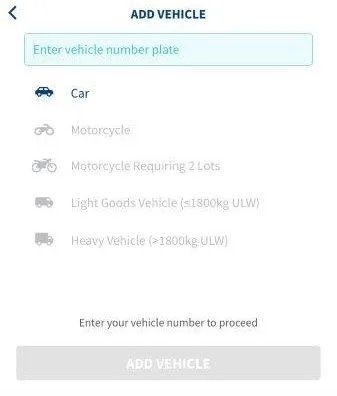
I installed it ahead of my first attempt — you can just as easily do it on the fly at your first parking session if you’d rather. I added my card for payment and my vehicle’s plate number, mostly to save a step at the actual lot. Doesn’t take long either way; the add-vehicle screen is genuinely easy.
At the car park, parked and ready — I launch the app. First thing: search for my location and select the car park.
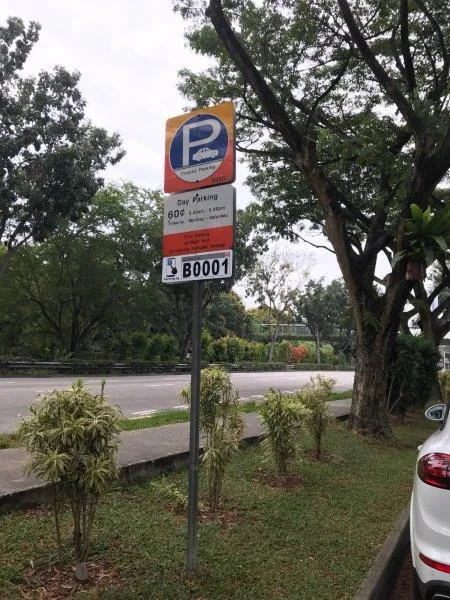
Helps enormously if the car park code is right in front of you — lucky today. The in-app search isn’t bad either if not: nearest car parks, plus your recently used ones.
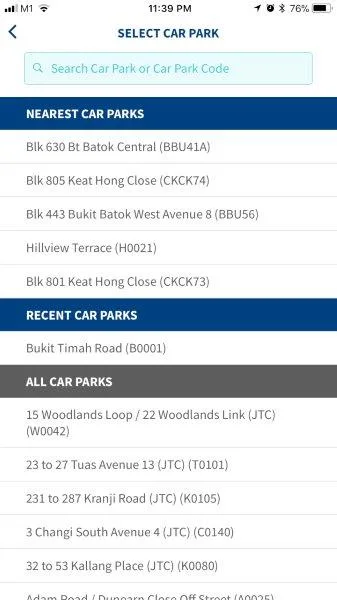
It’s built on Google Maps too, which beats whatever less-polished mapping some competing apps use.
Not entirely sure how long I’d need, so I went with the default 30 minutes — the +/- buttons add or subtract in 30-minute blocks if you can’t quite decide either. Doesn’t matter much either way, since extending later (remotely, no less) turned out to be genuinely painless.
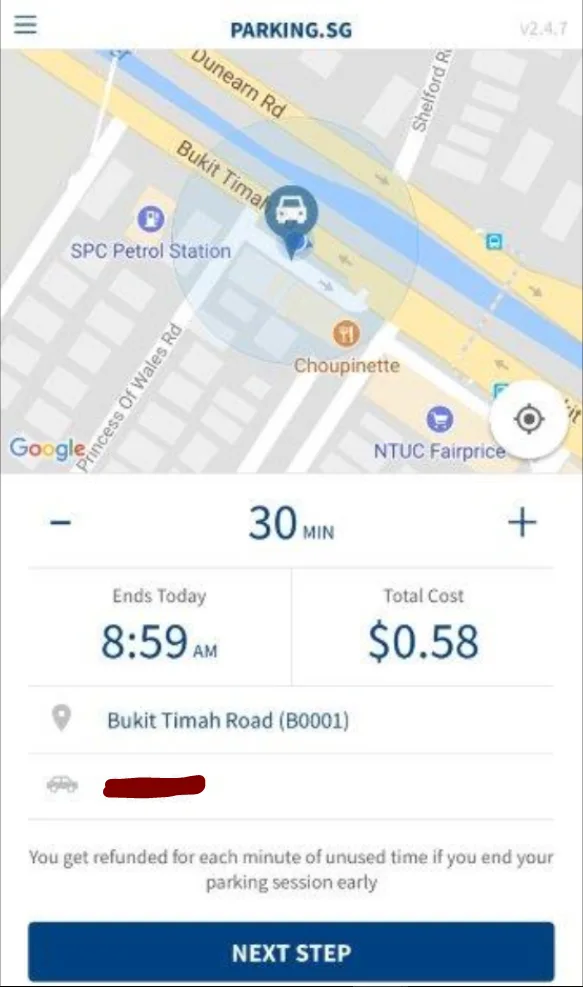
A nice touch: charges consolidate instead of flooding your credit card statement with a dozen tiny line items.
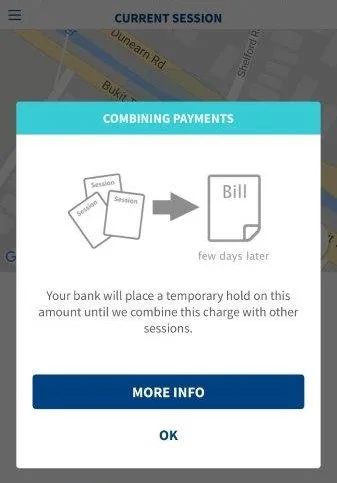
Thoughtful, and a small thing I didn’t expect to appreciate as much as I did.
Session started — off I went. Caught myself for a second wondering if I’d forgotten to tear a coupon, which tells you how deep the old habit runs even when you’ve switched.
A few minutes in, checked back just to be sure everything was fine. It was. And I learned the app also refunds unused minutes automatically if you end a session early — the kind of detail that makes the whole thing feel genuinely thought through, not just digitized for its own sake.
About half an hour in, a notification: session about to expire.
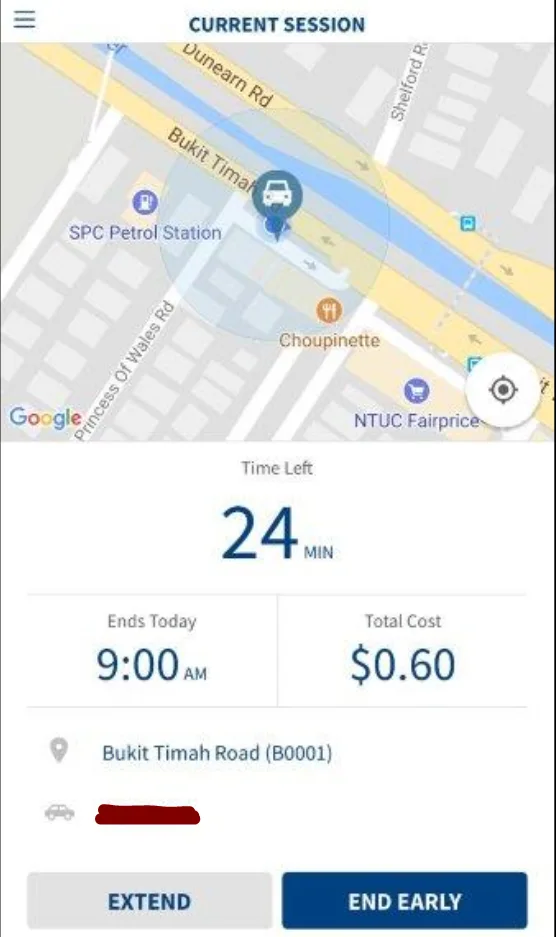
Extended it remotely, went with another 30 minutes.
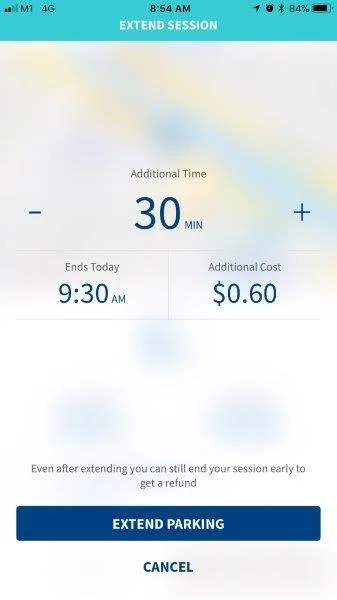
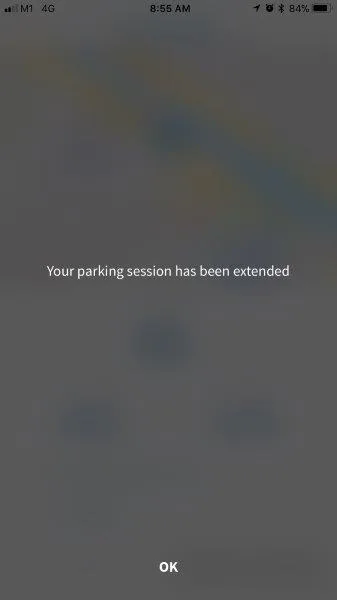
The extension took effect immediately — no walk back to the car required.
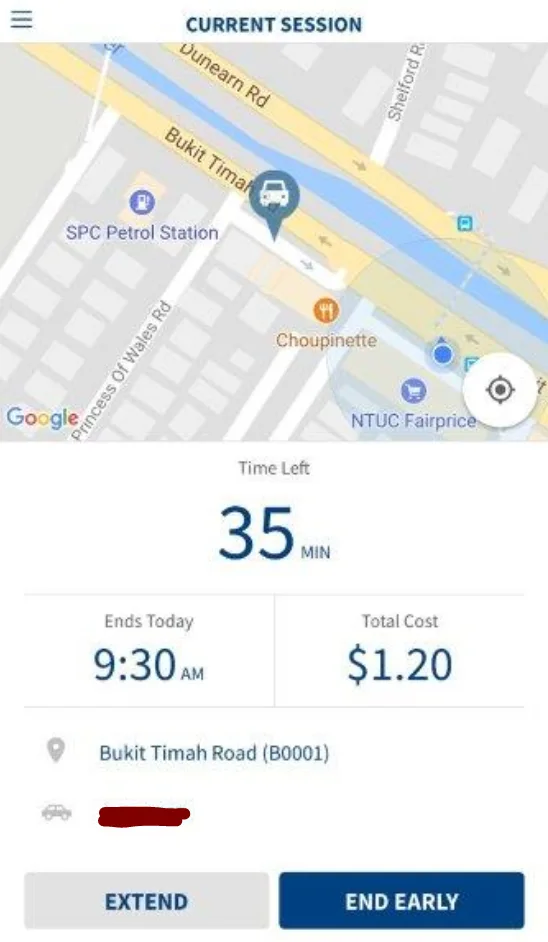
When I was actually done and back at the car, ending the session was equally simple: tap End Early,
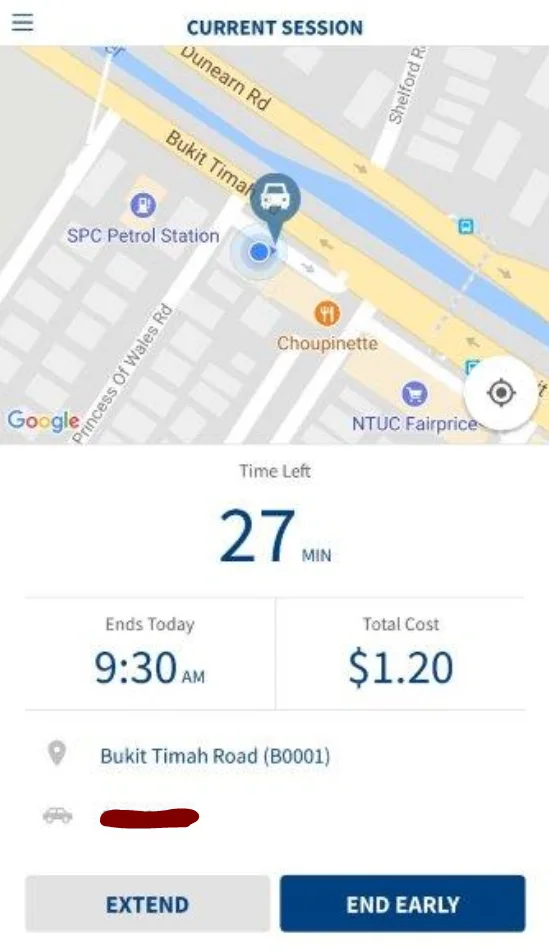
confirm,
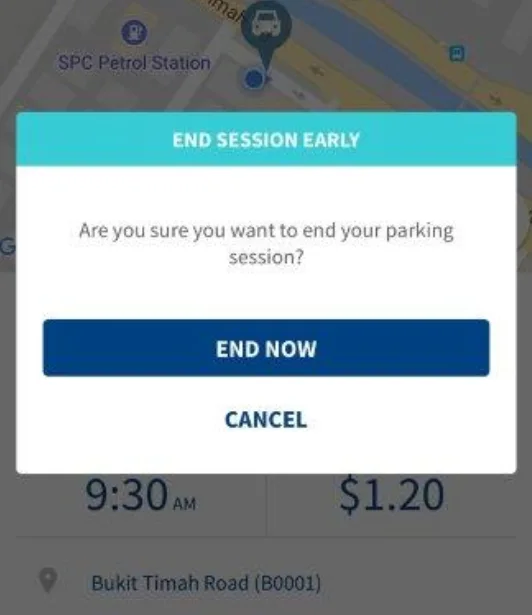
and it’s over. The parking summary that follows is clear and concise, nothing else I’d want from it.
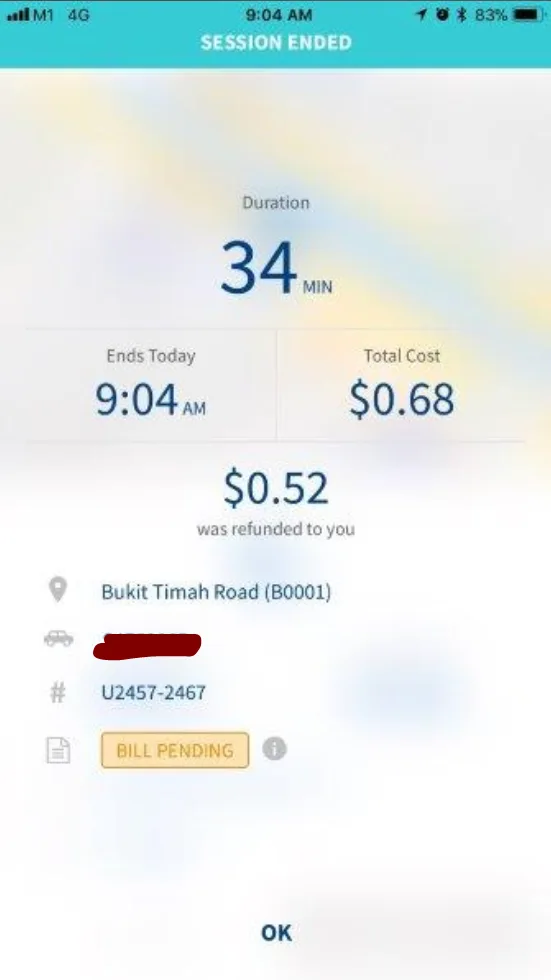
First attempt, and I’m sold — I’ve kept using it since.
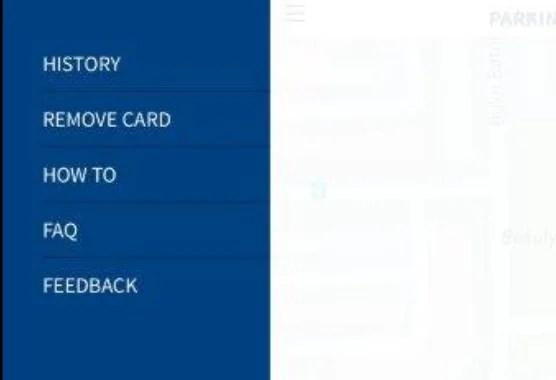
A few more things worth mentioning from poking around the app further: a genuinely handy parking history for checking past sessions and bills,
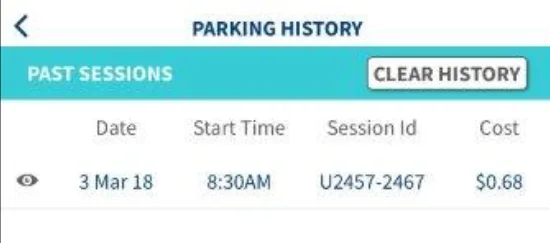
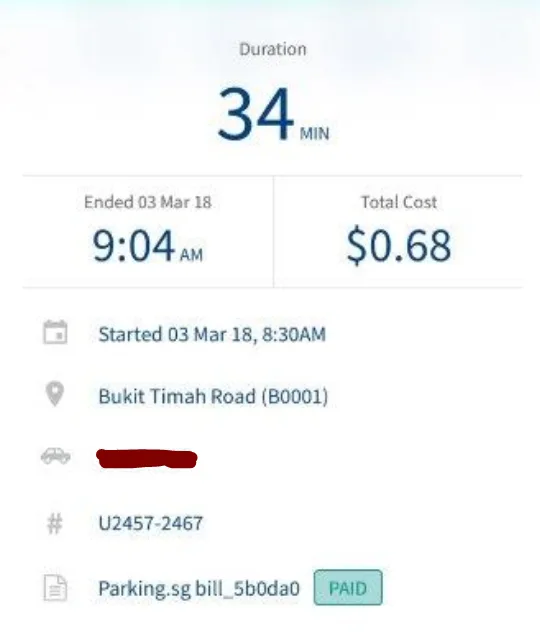
the actual parking rules surfaced for wherever you are so you’re not guessing,
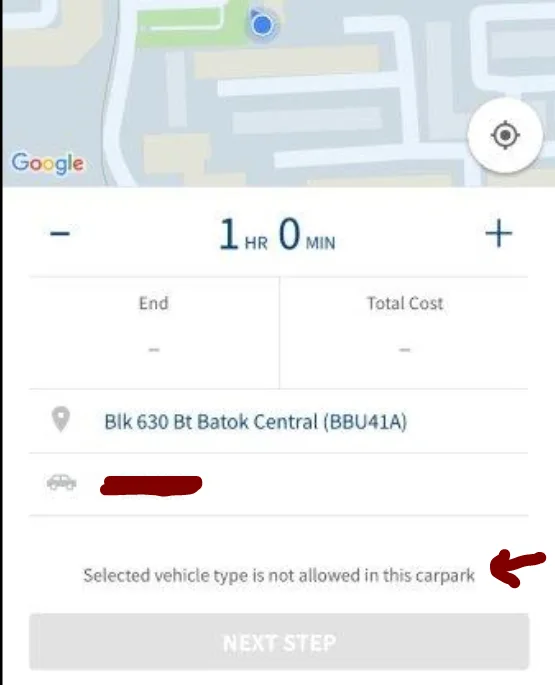
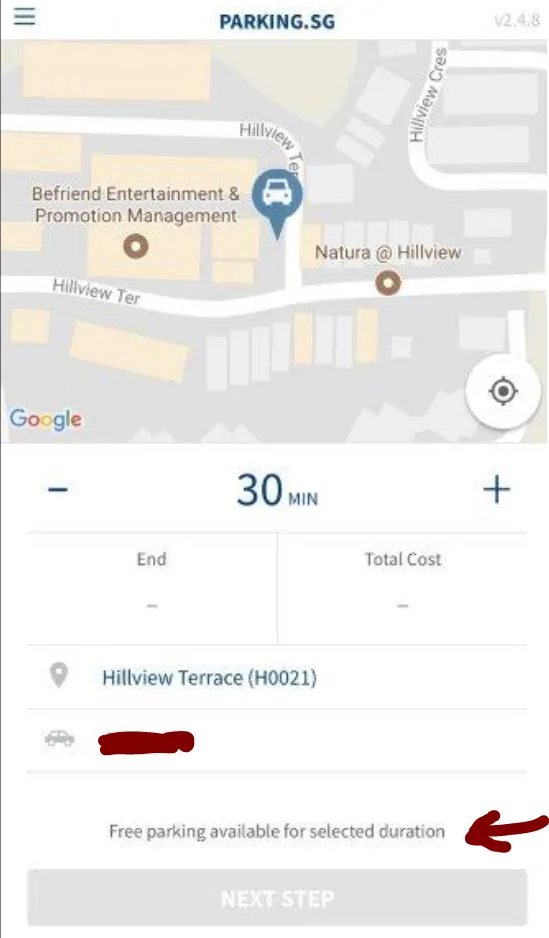
and clear indicators for when parking is free.
Here’s what the rest of the app menu looks like, for anyone curious before downloading it themselves.
In summary: good user experience, a real improvement on the flow of paying for public parking, and better than traditional paper coupons in almost every practical sense (arguably kinder to the planet too, one fewer paper leaflet at a time). I wouldn’t say it fully replaces paper coupons any time soon, but it’s a genuinely good initiative that makes life meaningfully easier for anyone comfortable with digital tools.
A couple of doubts, to be fair: no internet access or a dead phone battery still means you need a paper coupon — you could theoretically ask someone else to pay remotely on your behalf, but not everyone has a friend or relative on standby for that. I keep a few paper coupons in the car regardless, just in case. And I’m honestly not sure what happens if the wrong car park gets selected for a session and someone comes to check — hopefully I never find out.
For further reference: parking.sg. Kudos to the team that built and maintains it — genuinely solid execution, built by GovTech,

and it’s the kind of thing that puts Singapore one step closer to being a real Smart Nation. Hoping to see more products like this.
Also worth a browse: my other two cents’ worth of reviews.