Error: Command Failed! — this is the one that shows up when Git GUI’s target remote origin can’t be found anymore. The repository’s genuinely not available for some reason, and the fix is usually as simple as pointing Git GUI at wherever it actually lives now.
You’ll see this trying to fetch from origin:
fatal: repository 'your-host:8080/tfs/...' not found
Or trying to push:
fatal: repository 'your-host:8080/tfs/...' not found
Pushing to 'your-host:8080/tfs/...'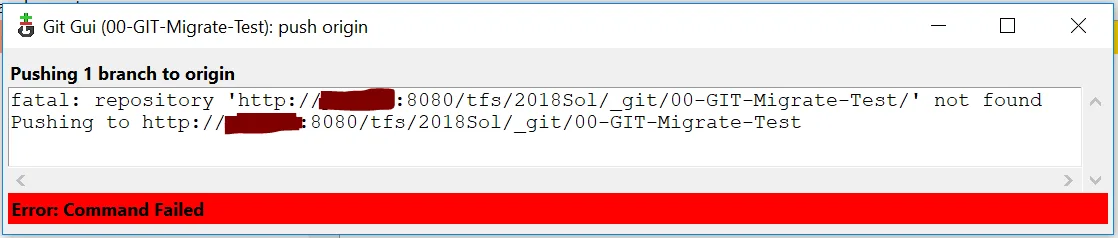
Usually one of two things: your shared central Git server is down (talk to your server admin), or its URL has changed — moved, migrated, whatever. If it’s the second one, you’re in luck, this is an easy fix.
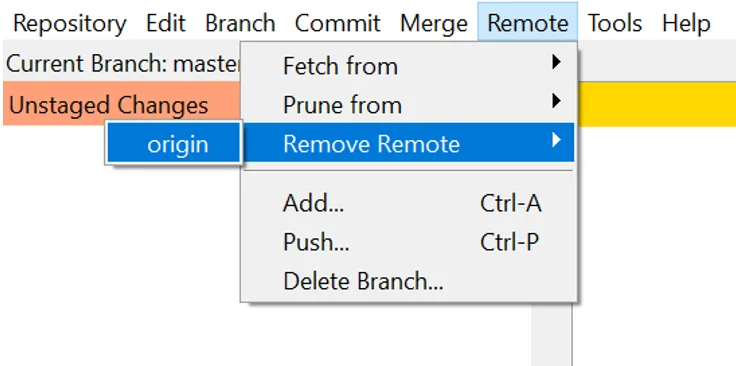
- In Git GUI’s Remote menu, choose Remove Remote and select your origin (whatever you’d named it). You now have no remote link — no fetch, no push.
- Under the same Remote menu, choose Add… and point it at the new origin URL.
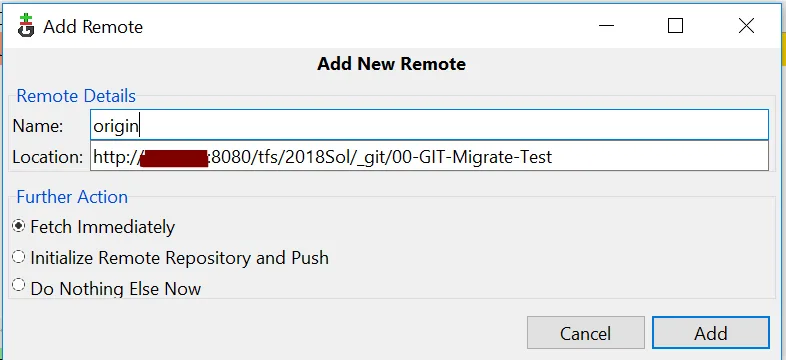
Click Add, and you’re done — linked to the new origin, working exactly as before. Feel free to browse the rest of my tech notes too.